
 Performance Series
  Aura
Aura
Starting with a Catalog design is a quick and easy way to make something wonderful with your laser. We have thousands to choose from (including many that are free), and we're adding more all the time.
If you have a Glowforge Premium subscription, your subscription includes "Free with Premium" designs that you can add to your dashboard for free:
Adding a free design to your Dashboard is simple.
- Go to catalog.glowforge.com.
- Browse or search for the design you want and click on it.
- Click Log In if you are not already logged in.
- On the design page, click Add to Dashboard.
- You'll receive a message that the design will be added to your Dashboard shortly.
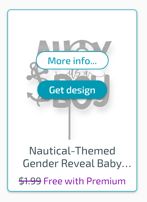
- You can also add free designs that appear in your Dashboard simply by clicking Get design.
- Either way you add a design, you'll quickly be able to see it in your Dashboard, under My designs.
8. From there, click on the design to open it in the Glowforge app, where you can customize it and the print or export.